Home |  Buy Now |  Support |  Contact Us   
English version German Version Spanish Version Russian Version  
 hard drive backup, computer backup, backup utility

Our Products

Related Links

Latest news

11.06.2009
The new version of APFill 5.2 is available for download.


20.04.2009
The new version of Home & Office backup tool - APBackUp 3.5 has been released. Unicode file names support, Microsoft Vista support, checking ZIP archive after backup feature,....


17.04.2009
TimeToPhoto 2.4 has been released. Unicode file names support.

Newsletter Signup

Keep up-to-date with our free newsletters

E-mail:

Reviews & Testimonials

AVPSoft's APBackUp 2.5 backs up your data to any storage medium-diskette, local or remote drive, writeable CD or DVD, or FTP site. It can send email notification of results after a scheduled backup, and can backup data from multiple local PCs to a remote FTP server. It isn't balked by open files-they get backed up too. Other features include incremental backups, retention of multiple file versions, and an option to run as a network service"

PC Magazine

"I registered the software because I needed to be able to date stamp large numbers of photos all at once instead of ten at a time in the trial version. I do property preservation work and take anywhere from 60-150 photos per trip to each property and the banks just started requiring date stamping. My brand new Elph digital camera does not have that feature - ironically the cheaper HP camera I bough..."

Melissa Mannix

"I just was seaching in Google for a software how to put dates on my pictures and put some key words for my search. TimeToPhoto appeared in one of the sites together with some other software relatd to dates on pictures (it was not your official website, I visited it later when the evaluation version expired). I downloaded four different programmes to put dates on pictures, but your one was the best..."

Dimitriya Georgieva

More reviews...

Home » Our Products » 

Universal Desktop Ruler (Universal On-screen Digitizer)

Windows 2000/XP/2003/Vista


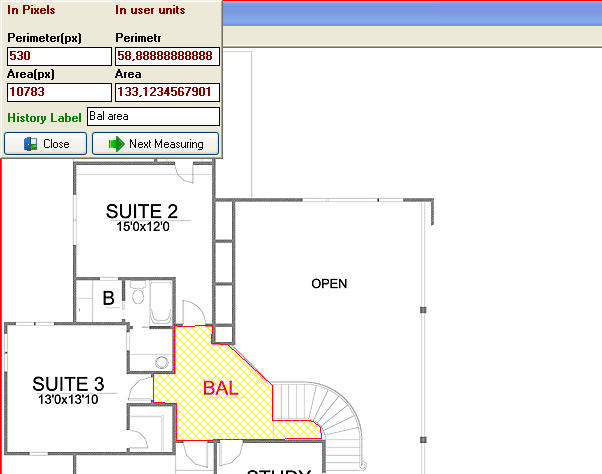
Universal Desktop Ruler is useful for measuring distance and area on a map, finding area and perimeter in a house project

$29.95 (€22.50)

Buy Now

Free Download

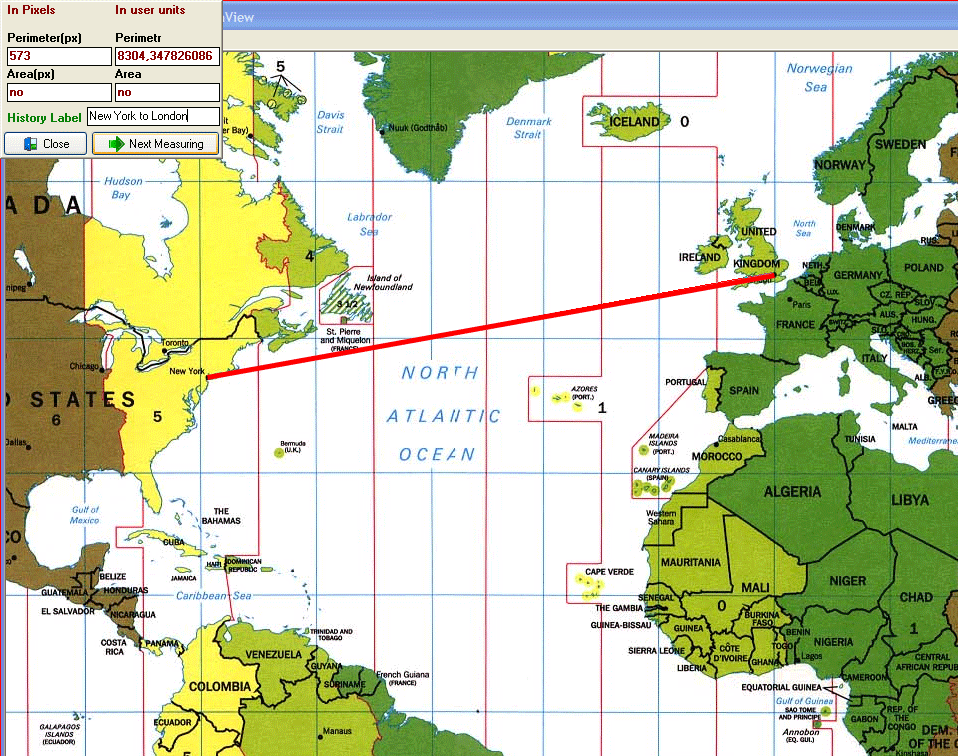
Rulers are great for straight line distances, but would a ruler be a good choice to measure the length of a river or road? What if you are measuring a distance along roads from one city to another? How would you measure curved lines with a straight ruler?


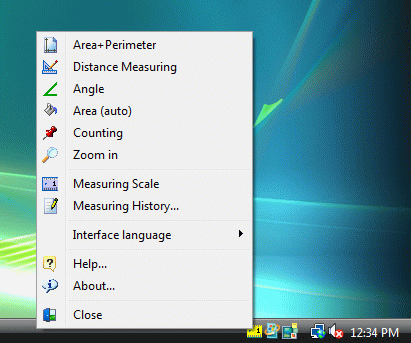
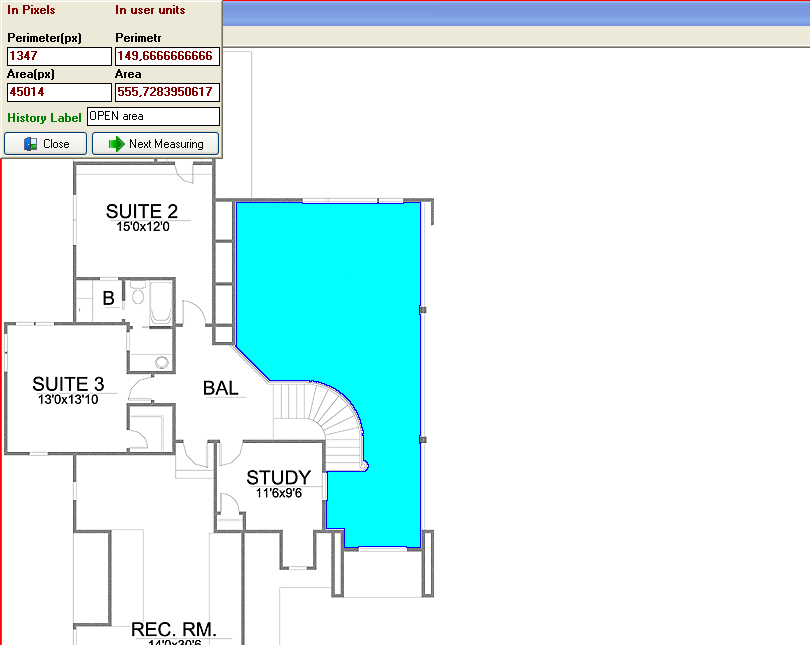
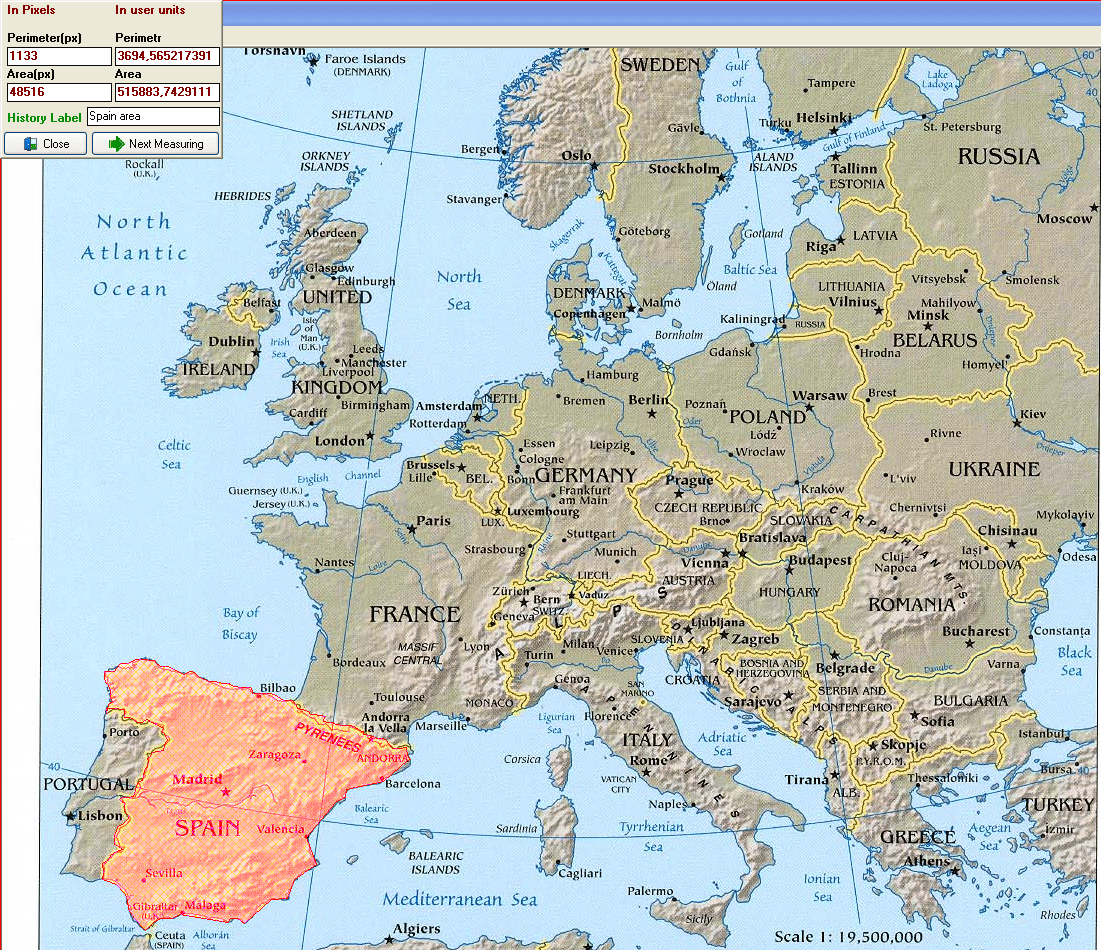
Universal Desktop Ruler allows you to measure not only a straight line distance but any curved distance on the screen. Universal Desktop Ruler allows you to measure quickly and accurately distances, areas and perimeters of figures on the screen. You can determine your own scale and get results in pixels and other units of measurement (feet, inches, meters, etc.). Universal Desktop Ruler is useful for measuring distance and area on maps, finding area and perimeter in house-building projects, and much more. Additionally, Universal Desktop Ruler has a screen magnifier function.


Key features:

  • Measure not only a straight line distance but any curved distance on the screen.
  • Measure distances, areas and perimeters of figures on the screen.
  • Angle measurement.
  • Determine your own scale and get results in pixels and other units of measurement.
  • A history of all results (with labels) can be copied to Excel.
  • Use counting mode to count objects on the screen.


udruler

udruler

udruler

udruler

udruler

udruler

more screenshots...


Our Customers say...

"I downloaded the demo of Universal Desktop Ruler, and it is the best-suited onscreen takeoff that I have seen. I have spent the last few days comparing many of them, and reading things such as a review of onscreen takeoff tools by the U.S. military, and it is clearly the best. I downloaded it and was usefully using it in about 5 minutes. We will buy several copies for our company."

Ian Shapiro

"I found your software by using google to search for an application to assist me in preparing quantities from scale drawings, specifically for landscaping and fencing contract quotations. I am a quantity surveyor and have managed to save a large amount of expense by using Universal Desktop Ruler instead of purchasing a planimeter to undertake the same job. Preparing quantities for landscaping and fencing works requires the measurement of both length (fencing) and areas (turfing etc) which are easily undertaken with UDR. I simply photograph the technical drawing with a scale ruler captured within the shot and use this image to prepare the quantities I need. I would like to see a function that allows measured areas and lengths to remain on the screen in user selectable colours so that the same area is not measured twice. A used editable function on the history database to label each measurement and then export this data to excel would be good. I am very pleased to have found UDR as it has improved my accuracy and productivity compared to using a traditional scale ruler and I would like to congratulate you on identifying and filling a much needed gap. I shall recommend this product."

Marc Fletcher

"I came across Universal Desktop Ruler whilst googling for 'on-screen digitizers' as in my line of work (construction project management), it is necessary to measure from architect drawings regularly. I wanted a product where I could measure without having to print out PDF plans. ... Overall, a great piece of software! "

Ian Kirsh


Download the latest version of Universal Desktop Ruler 3.3 [24/06/2009, 1.95Mb]


Download Download Universal Desktop Ruler


Download Download Universal Desktop Ruler (ZIP format)


You may use this trial version during a test period of 30 days. Following this test period, if you wish to continue to use Universal Desktop Ruler, you must register.


How to order


License for use


Universal Desktop Ruler FAQ


Try Our Products

APBackUp makes it easy to backup your data virtually to any type of storage media: hard or network drive, DVD, CD-R/W, FTP or LAN.

Learn more about our backup utility APBackUp

TimeToPhoto adds Datestamps to Your Photos Automatically.

TimeToPhoto - Add Datestamps to Your Photos Automatically

APFill Ink and Toner Coverage Calculator helps you calculate CMYK colors density on the page before printing.

Learn more about our APFill Toner Coverage Calculator

Universal Desktop Ruler allows you to measure distances, areas and perimeters of figures on the screen.

Learn more about our Universal Desktop Ruler on screen digitizer

Awards

Promaxum Seal of Quality

More awards...

[back to top] Last updated 10/05/2009
Home | Products | Order Now | User Testimonials | Support | Contact Us | Press room | Forum |  ©Copyright AVPSoft.com 2002-2008
Privacy Policy and Terms of Use
Clicky Web Analytics